Docs
Getting started
How to start a MapRounds quiz
Choose a set, look around in Learn, then select Quiz when you are ready. Your first round can be short, untimed and unsaved.
On this page
1. Choose a quiz
Open Quizzes and choose a region or topic. Country locations, capitals and flags ask different questions, even when they cover the same countries. Open About this selection to see the included places, exclusions and review date.
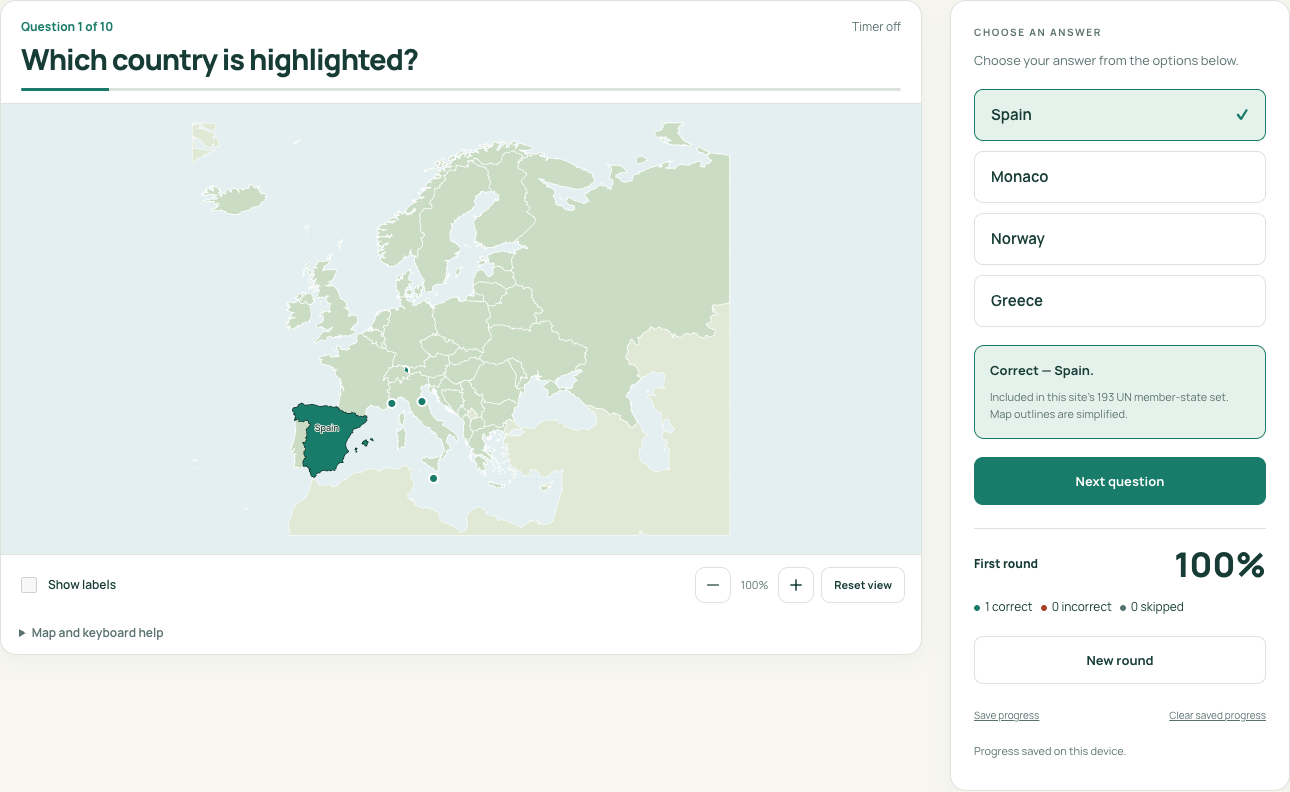
Countries of Europe is a useful place to start. The default format highlights a place and asks you to choose its name from four options. Find a named place reverses the task: read the name, then select its location on the map or choose it from the list.
2. Look around in Learn
In Learn, you can inspect the map without a score. Keep Show labels on to see the names. Choose a place from the list and select Locate on map to find it. Zoom in or read the full answer list when a place is difficult to see.
3. Set up the round
- Select Quiz.
- Choose a question count. Ten is a good starting point when the set has at least ten places.
- Leave Timer set to Off, or choose a time limit.
- For map quizzes, choose Name the highlighted place or Find a named place.
- Select Start a round. The questions are randomized each time.
4. Answer, read feedback, then continue
Read the question, then choose an answer. A text choice submits it straight away. In Find a named place, use the map or the list. Read the feedback before selecting Next question; the quiz waits for you to continue.
Use Skip this question to pass. It counts as skipped in the first-round result and appears in review. At the end, See results shows your correct, incorrect and skipped answers, along with your percentage.
Try a first round
| Step | What to do | What happens |
|---|---|---|
| Open | Countries of Europe | The title and included-place list match the intended task |
| Configure | 10 questions; Timer off; Name the highlighted place | The setup clearly shows the selected controls |
| Answer | Select one of the four text choices | Feedback appears before you advance |
| Continue | Use Next question until the round is complete | The result total equals the chosen question count |
| Review | Open the missed-place review when available | The first-round score stays visible |
Questions are randomized, so your first country and final score will vary. If you get every answer right, there are no missed questions to review. You can start another round or choose a different set.
If something interrupts you
A round stays in this tab unless you choose to save it. Select Save progress if you want to return to it in this browser. If an image fails to load, try Retry. The full answer list and printable sheets are also available on the quiz page.